AI Rap Photo Editor for Stage and Outfit Edits
Prepare a rap-video reference image. Change the stage or outfit, refine a duo composition and send the edited photo directly into animation.
Loading your studio…
Change the backdrop with the AI rap photo editor
Use a reference photo to change the background or styling while keeping the person central to the edit.
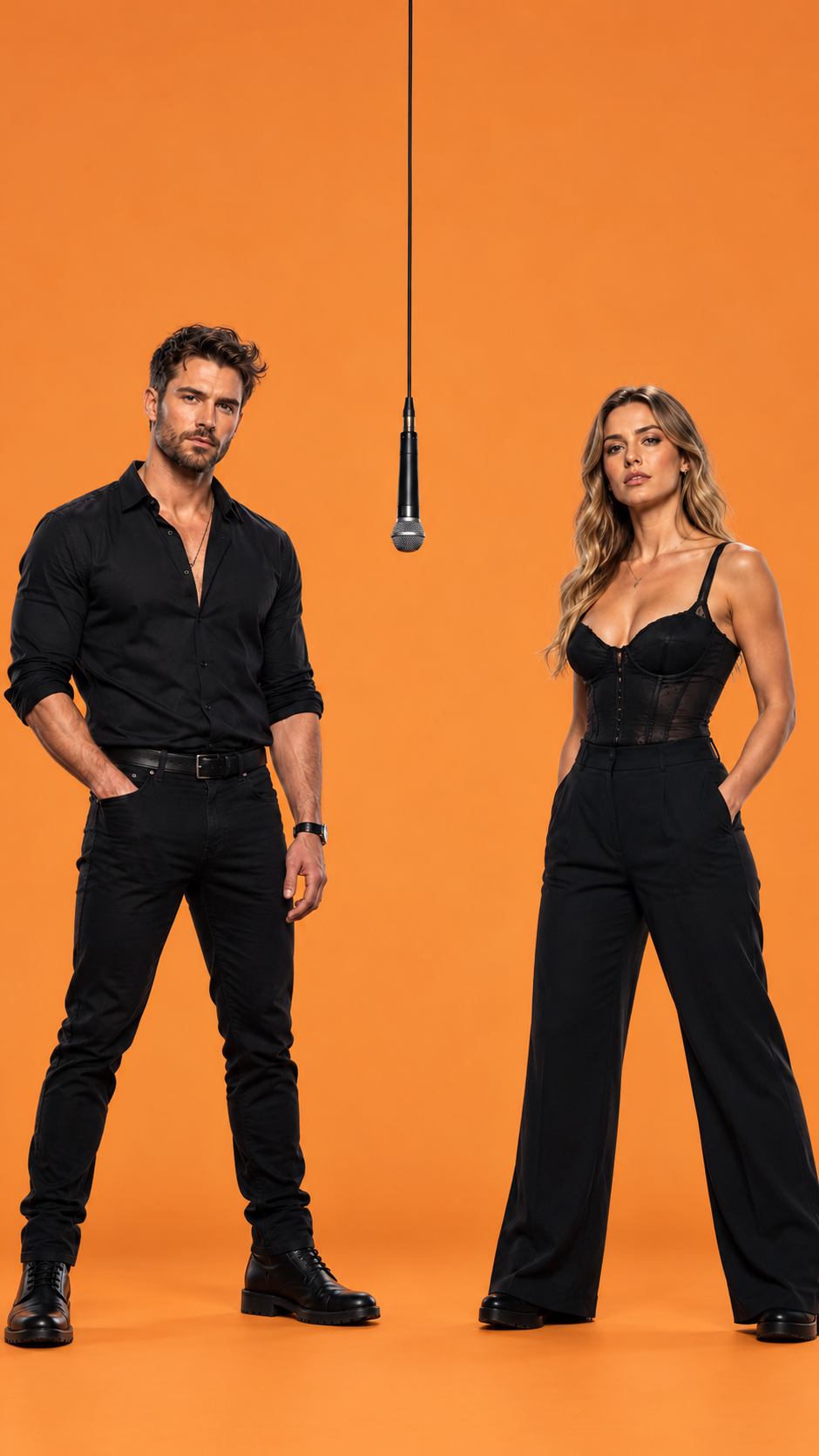
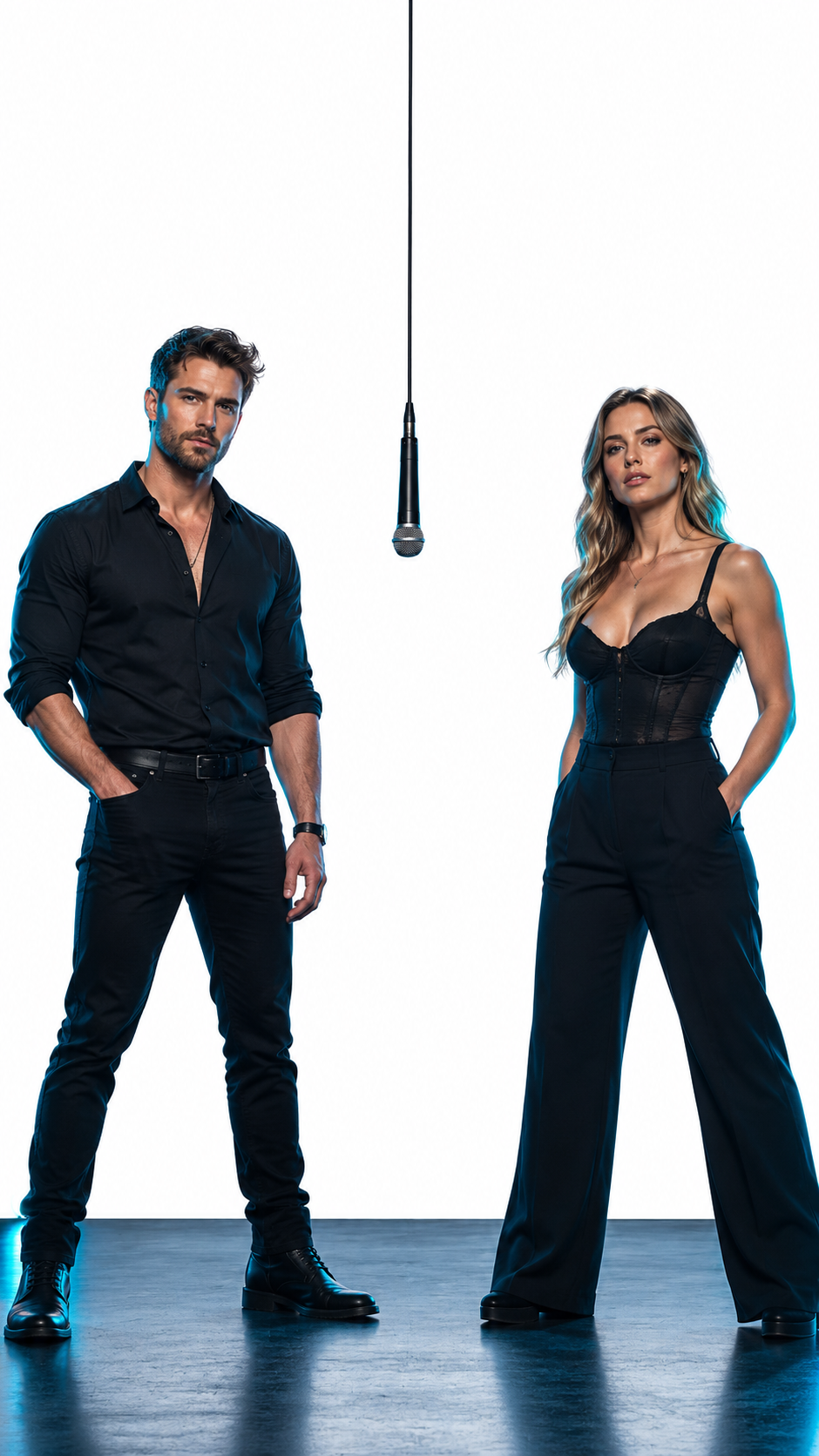 BEFORE / GRAPHITE STAGEAFTER / ORANGE STUDIO
A new studio backdrop
Keep the original person and replace the room with a seamless orange studio. Match the new background lighting to the face. Use the AI rap photo editor when the starting photograph already contains the person you want. A rap outfit photo edit can replace a jacket or stagewear without requesting another identity. To change background, name the new set and describe how the existing light should blend into it.
A performance outfit
Change an ordinary jacket into a dark satin stage jacket, preserving the hairstyle, pose and face. Write instructions that preserve identity using concrete features: the same eyes, hairline and facial proportions. A duo reference image also needs the same left-right arrangement. Describe the changed scenery separately so the model has a clear boundary between the person and the set.
Tell the AI rap photo editor what stays the same
Name the exact change, then identify the face, pose or clothing details you want to retain.
Change the background
Name the new setting precisely: “Replace the room with a seamless orange backdrop and a soft floor shadow.” In the AI rap photo editor, separate the edit request into what stays and what changes. For a rap outfit photo edit, keep face and body position while naming the new fabric, color and fit. Avoid adding a second pose request that competes with the clothing change.
Keep the facial features
Say “Keep the person’s facial features, hairstyle and pose; leave the eyes and mouth unobstructed.” To change background cleanly, state the backdrop, floor and light direction in one sentence. A duo reference image needs both people to share that direction. Ask for compatible shadows beneath them rather than different lighting for each performer.
Match the lighting
Match light direction, contrast and subject scale so the new background does not feel pasted on.
Keep the person's facial features, hairstyle and pose. Replace the room with a seamless orange studio and change the jacket to a dark satin stage jacket. Match the new background to the face lighting. Keep the mouth and eyes unobstructed.
Build a shared duo frame in the AI rap photo editor
A prepared image of both performers gives the animation a clear starting composition.
Place each performer
Put Photo 1 on the left and Photo 2 on the right, with a clear gap between them. A duo reference image should show two distinct faces, a readable gap and enough room for small gestures. Use the AI rap photo editor to establish this shared frame before animation. Keep face instructions for each person separate, so a clothing detail does not migrate to the partner.
Match scale and light
Match their height and face lighting in one studio image. Keep each outfit distinct. When a rap outfit photo edit is part of the shared scene, describe each person's outfit individually. Then change background around both people as one stage. Check hands and shoulders at full size before treating the result as a finished duo reference image.
Leave room for movement
Place one hanging microphone at the center without covering either mouth, and leave space for small gestures.
Clean up details in the AI rap photo editor
A readable face, clear silhouette and uncluttered microphone area make the reference easier to animate.
Clear face area
Move a microphone away from the mouth and remove objects that block the eyes. Check a rap outfit photo edit for changed fingers, drifting accessories and inconsistent collars. To keep face detail readable, compare the eyes and mouth with the original at the same scale. The AI rap photo editor can revise one defect without adding more scene changes.
Distinct silhouettes
Give each person a readable outline and enough separation from the partner. If you change background again, retain the approved subject positions and keep face details explicit. A small follow-up request is easier to judge than a simultaneous change of camera, clothing and lighting. Download the approved still before starting another edit. Change background only after checking both subjects' edges.
Simple hand placement
Keep hands lower and relaxed when the reference will be animated. Complicated overlapping fingers can distract from the faces.
Animate your AI rap photo editor result
Send your edited image into the video tool without downloading and uploading it again.
Choose Animate this image to carry the edited result directly into a new motion draft. Animate the approved duo reference image with restrained movement first. A rap outfit photo edit establishes appearance; the animation prompt establishes action. Keep face orientation near the camera and avoid a large turn that reveals features the reference never showed.
Return to Recent frames to reopen the original or edited task. Use another version to compare a single change at a time. When you change background in a later version, compare it against the saved duo reference image. Keep face appearance consistent while checking whether the new set affects contrast. A rap outfit photo edit that works in a dark studio may need different lighting on a bright stage.
Make your rap video ↗AI Rap Photo Editor FAQ
Can I change clothes while keeping the face?
+
Describe the clothing change explicitly and state which facial features, hair and pose should stay the same.
Can I replace a background with an orange studio?
+
Upload the photo and describe a seamless orange studio with lighting that matches the face.
Can I combine two portraits?
+
Use a supported multi-reference setting to place each person in a shared frame, or use the two-input Rap Duo preset.
Should I edit the image before animation?
+
Edit first when you want a different stage, outfit or composition; that gives the video a clearer starting frame.
Will the edited result stay in my history?
+
Your account history lets you revisit generated results, download them and continue editing.