Make Your Hotel Lobby AI Video
Put two photos into an orange-booth rap performance. Explore the Hotel Lobby look, photo setup, original song and a ready-to-use duo preset.
Loading your studio…
Is Migos AI the same as Hotel Lobby AI?
Migos AI video commonly refers to the two-person Hotel Lobby performance format.
Friends in the Orange Booth
Two portraits · one orange studio
Seedance 2 Mini · 496 × 864 · 24 fps · generated audio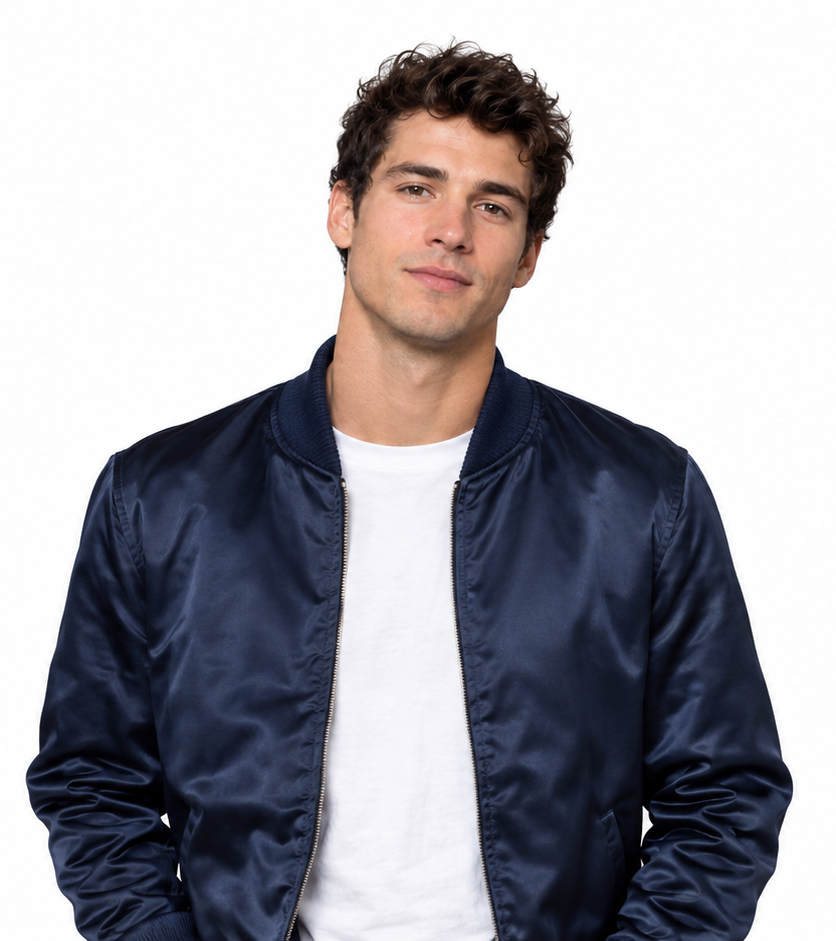 +
+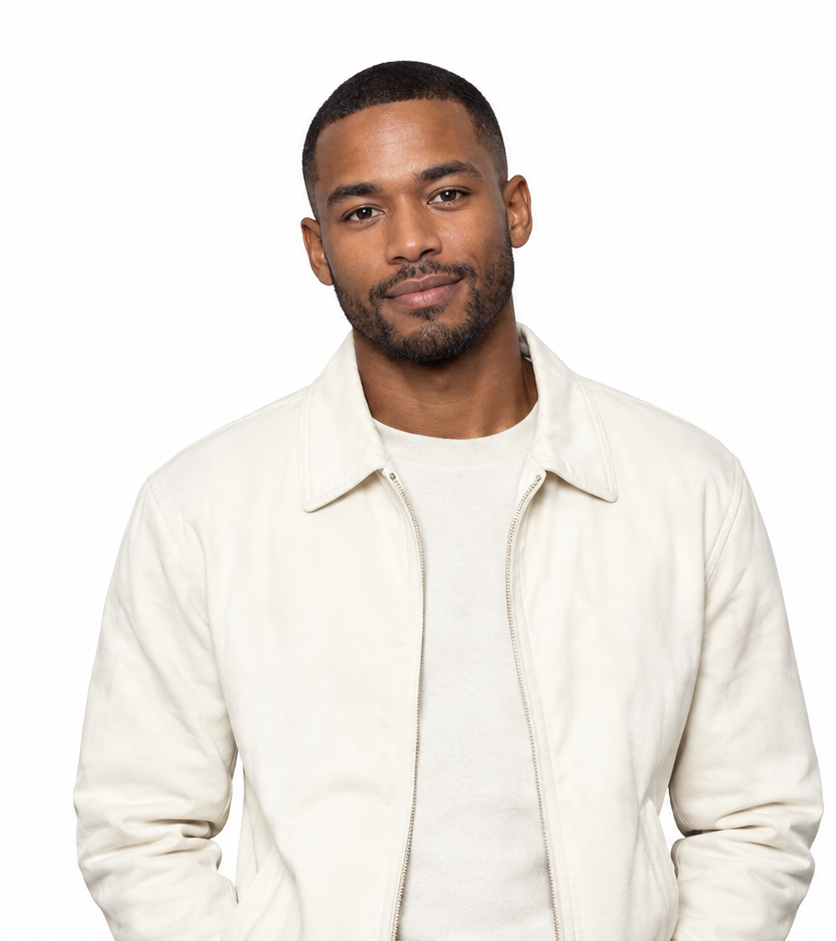 →One shared performance
Prompt & output settings
Create a short rap performance using these two portraits. Photo 1 is the left performer and Photo 2 is the right performer. Preserve the distinct faces, clothing and markings. Place both in a seamless warm orange studio with one silver microphone hanging between them. Locked waist-up camera. Both nod gently to an original rhythmic beat, then the left leads and the right responds with small shoulder movements, ending looking toward the camera. Exactly two subjects, no crossing positions. Small gestures and clear faces. Original instrumental hip-hop beat; no existing song or lyrics.
Two reference portraits → a requested 10-second vertical video. Measured output: 10.08 seconds, 496 × 864, 24 fps, with an AAC audio track. Seedance 2 Mini, 480p setting. The actual generation record includes the full submitted direction.
View generation recordCouple Birthday Verse
Two portraits · a cyan birthday stage
Seedance 2 Mini · 496 × 864 · 24 fps · generated audio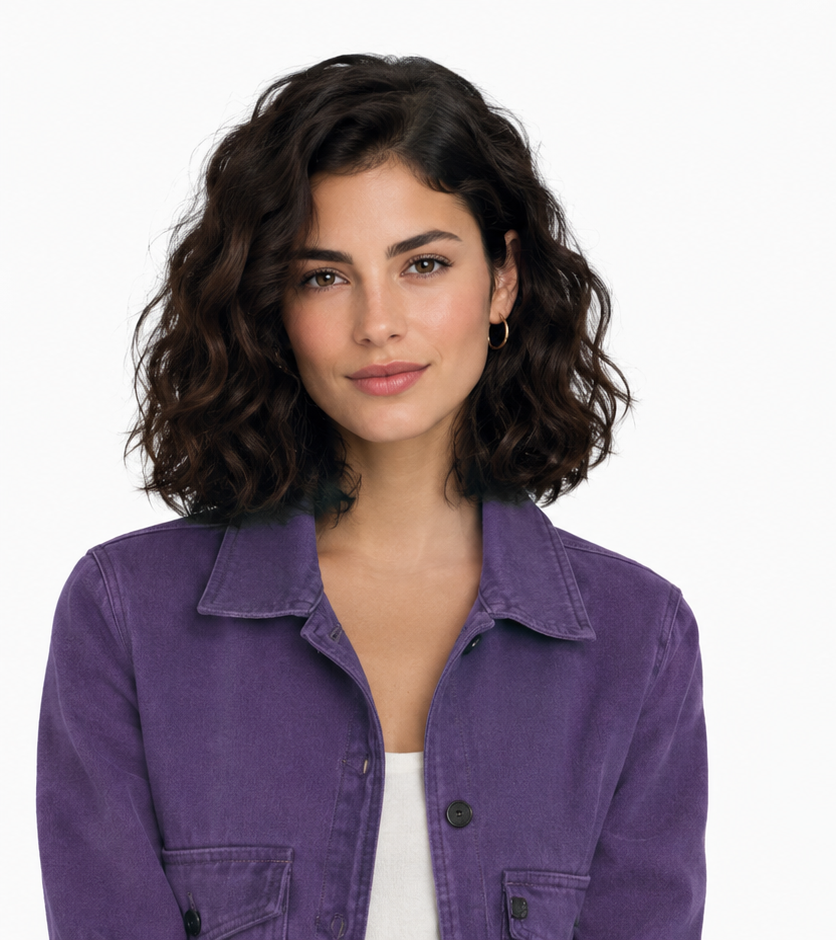 +
+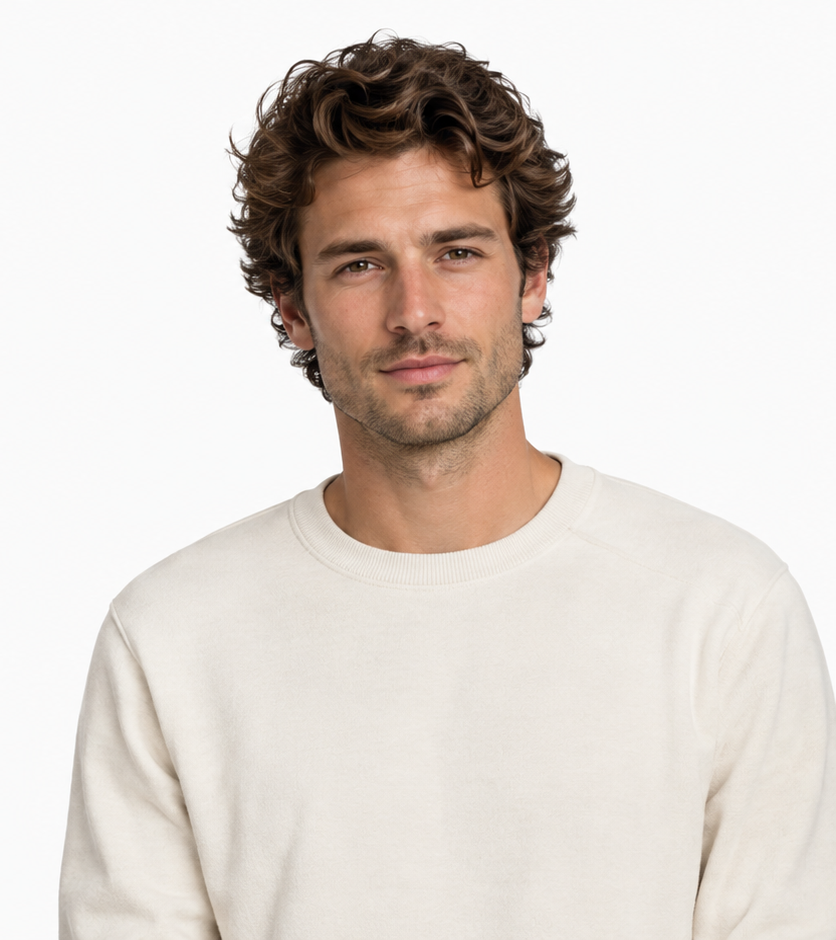 →One shared performance
Prompt & output settings
Create a short rap performance using these two portraits. Photo 1 is the left performer and Photo 2 is the right performer. Preserve the distinct faces, clothing and markings. Place both in a graphite birthday stage with cyan confetti lighting and a suspended microphone. Locked waist-up camera. Both nod gently to an original rhythmic beat, then the left leads and the right responds with small shoulder movements, ending looking toward the camera. Exactly two subjects, no crossing positions. Small gestures and clear faces. Original instrumental hip-hop beat; no existing song or lyrics.
Two reference portraits → a requested 10-second vertical video. Measured output: 10.08 seconds, 496 × 864, 24 fps, with an AAC audio track. Seedance 2 Mini, 480p setting. The actual generation record includes the full submitted direction.
View generation recordPet Partners
Two cats · small head and body movements
Seedance 2 Mini · 496 × 864 · 24 fps · generated audio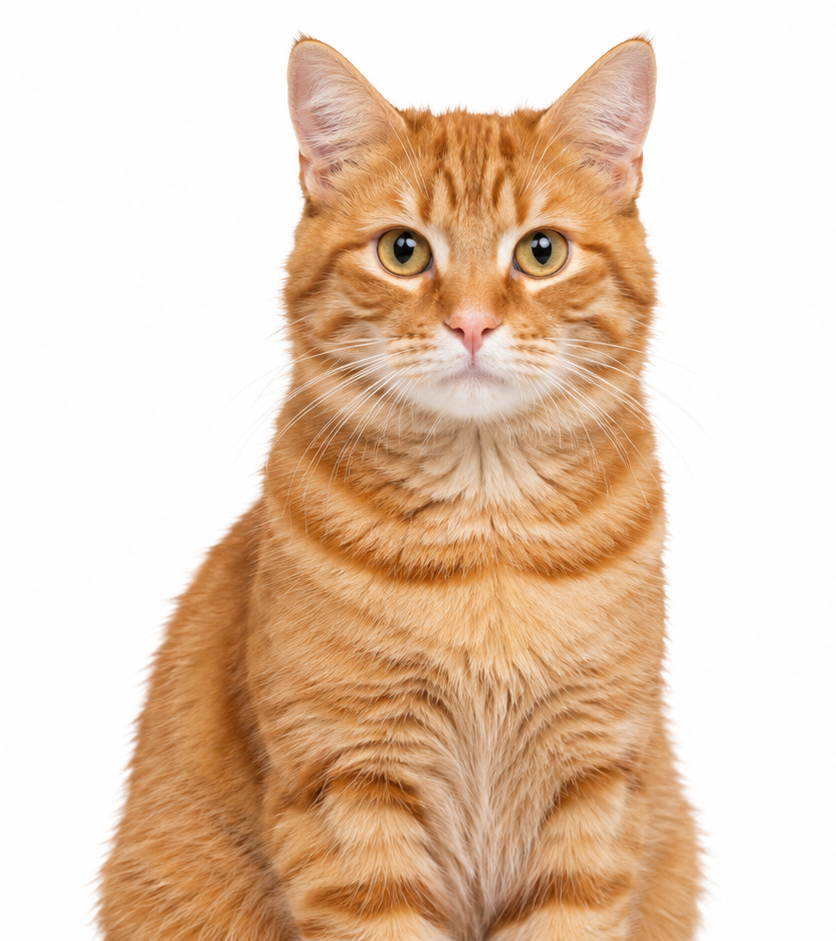 +
+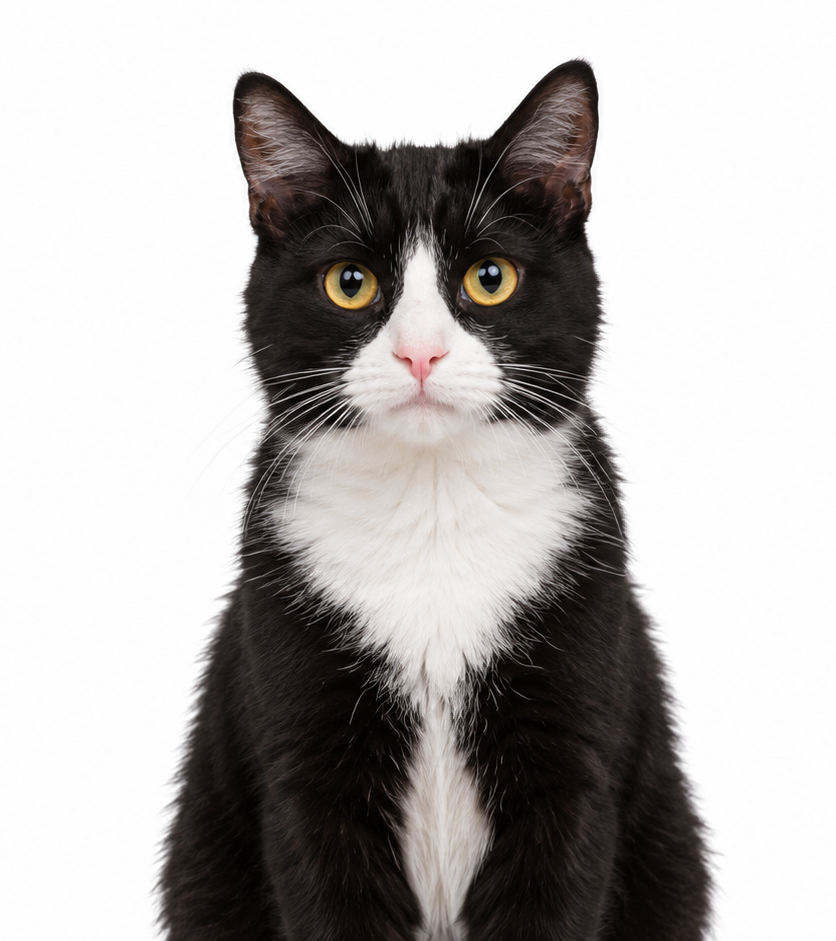 →One shared performance
Prompt & output settings
Create a short rap performance using these two portraits. Photo 1 is the left performer and Photo 2 is the right performer. Preserve the distinct faces, clothing and markings. Place both in a small warm orange music stage with a suspended microphone. Locked waist-up camera. Both nod gently to an original rhythmic beat, then the left leads and the right responds with small shoulder movements, ending looking toward the camera. Exactly two subjects, no crossing positions. Preserve natural cat anatomy; gentle head bobs and body sway, no human hands. Original instrumental hip-hop beat; no existing song or lyrics.
Two reference portraits → a requested 10-second vertical video. Measured output: 10.08 seconds, 496 × 864, 24 fps, with an AAC audio track. Seedance 2 Mini, 480p setting. The actual generation record includes the full submitted direction.
View generation recordStreet Cypher
Two performers · a brick-lined street
Seedance 2 Mini · 496 × 864 · 24 fps · generated audio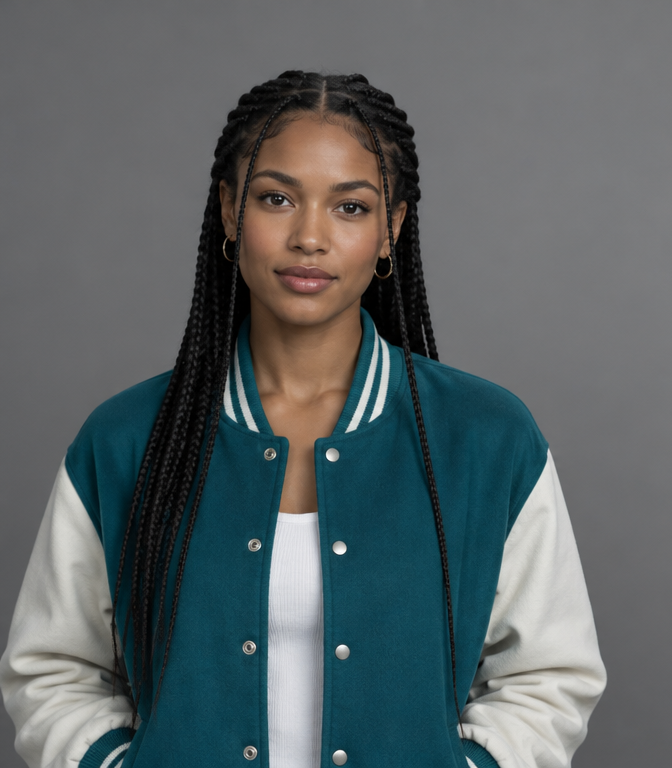 +
+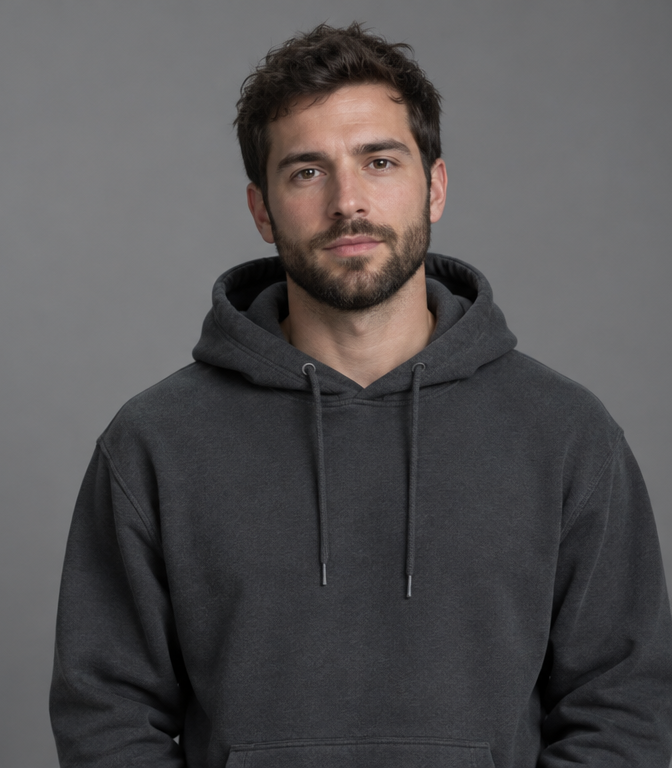 →One shared performance
Prompt & output settings
Create a short rap performance using these two portraits. Photo 1 is the left performer and Photo 2 is the right performer. Preserve the distinct faces, clothing and markings. Place both in a quiet brick-lined city street at dusk with soft cyan rim lighting and one microphone. Locked waist-up camera. Both nod gently to an original rhythmic beat, then the left leads and the right responds with small shoulder movements, ending looking toward the camera. Exactly two subjects, no crossing positions. Small gestures and clear faces. Original instrumental hip-hop beat; no existing song or lyrics.
Two reference portraits → a requested 10-second vertical video. Measured output: 10.08 seconds, 496 × 864, 24 fps, with an AAC audio track. Seedance 2 Mini, 480p setting. The actual generation record includes the full submitted direction.
View generation recordThe familiar setup is a studio performance: two people, an orange backdrop and a suspended microphone. Hotel Lobby names the song; Migos describes the artists’ group association. It is not a scene at a hotel reception desk. Hotel Lobby AI describes a recreated performance setup, not a hotel reception. A Migos AI video typically borrows the orange booth and the hanging microphone as visual cues. To make a Hotel Lobby AI video personal, use two photos of the people you want rather than asking for the original performers.
Identify Hotel Lobby AI by the arrangement before choosing a soundtrack. A Migos AI video keeps two photos connected to two visible subjects, with the hanging microphone between them. Check those positions in the first frame rather than judging the whole result by its color.
The Hotel Lobby AI orange-booth preset
The preset combines an orange backdrop, one hanging microphone and two clearly separated performers.
Left performer
Use Photo 1 for the person who stays on the left. Keep a clear face, hairline and shoulders in the image. In Hotel Lobby AI, give the left position one clear portrait. A Migos AI video works better when two photos have similar scale; the orange booth should frame both people without making one face much larger.
Right performer
Use Photo 2 for the right-side partner. Similar lighting helps the two references sit naturally in one scene. The right partner in a Hotel Lobby AI video needs an independent identity and a smaller response. Hotel Lobby AI is easier to read when the hanging microphone stays between the subjects and neither face is covered.
One shared microphone
Place the microphone between the performers without blocking either mouth. The complete prompt below specifies the backdrop, light and movement. Describe one hanging microphone, one continuous backdrop and shared light. These details make Hotel Lobby AI recognizable without adding props. For a Migos AI video, the backdrop should remain a setting for the performance rather than the main moving subject.
Create a short rap-performance scene using the two uploaded portraits. Photo 1 is the performer on the left; Photo 2 is the performer on the right. Keep their faces, hair and clothing distinct. Place them in a seamless warm-orange studio with one hanging silver microphone between them. Frame both from the waist up with a locked camera and soft frontal light. Begin with both nodding to the rhythm. Let the left performer lead with small open-hand gestures while the right responds with a smile and shoulder movement. Finish with both looking toward the camera. Keep their positions fixed and their faces visible throughout.
A Hotel Lobby AI sequence with clear roles
A simple lead-and-response sequence gives each performer a distinct moment on screen.
Open on the duo
Begin with both performers visible in a stable medium shot. Open Hotel Lobby AI with both people already visible. The two photos establish appearance, while the action describes a gentle entrance into the rhythm. A Migos AI video does not need a new camera angle for each phrase.
Lead and respond
Let one person make a small open-hand gesture while the other nods and responds. Let Hotel Lobby AI give one performer the main gesture and the other a nod. In a Hotel Lobby AI video, a hanging microphone can help show the shared centerline while the two subjects keep distinct spaces.
Finish on the beat
End with both looking toward the camera. Keep the ending still enough to cut on a beat in your editor. Finish the Migos AI video in a pose that can hold across an edit. Keep the orange booth steady and the hanging microphone out of both faces. Hotel Lobby AI benefits from a clear ending more than another late gesture.
Check a Hotel Lobby AI video as an exchange rather than two unrelated performances. Hotel Lobby AI should keep the spacing established by the two photos. A Migos AI video can lose that relationship if both people turn or move forward at exactly the same moment.
Hotel Lobby AI in portrait and landscape
Vertical framing suits short-form feeds, while landscape framing gives both performers more room.
Vertical social clip
Choose 9:16 for a phone feed. Keep both faces large enough to read, with a little room above the microphone. For a vertical Hotel Lobby AI video, crop the two photos so both faces remain readable in a narrow frame. Hotel Lobby AI should retain the hanging microphone and enough shoulder room to show the response.
Wide duo stage
Choose 16:9 for wider spacing and more shoulder movement. Generate the intended composition instead of stretching an existing clip. A wide Migos AI video can show more of the orange booth and more space between the partners. Generate Hotel Lobby AI in the intended aspect ratio; stretching an existing output changes proportions rather than creating a better composition.
Find the song for your Hotel Lobby AI clip
The reference song is HOTEL LOBBY by Quavo and Takeoff, and the AI clip can be paired with a selected audio track.
The reference recording is HOTEL LOBBY (Unc & Phew). Open the original COLORS performance below to identify the scene. To use your own selected recording, import the generated video into an editor, mute duplicate audio, align the start to a strong beat and trim the end. A background track alone does not provide exact lip sync. Hotel Lobby AI names a visual reference and a song association. A Migos AI video can use generated sound or a later edit, but neither the hanging microphone nor the orange booth supplies the original recording. Check the output's sound before pairing your Hotel Lobby AI video with a selected track.
Use a visible gesture to choose the soundtrack start, then trim the ending. In Hotel Lobby AI, the two photos establish likeness rather than exact lyric timing. A Migos AI video may look rhythmic without matching every syllable.
THE ORIGINAL PERFORMANCE / 2022Quavo & Takeoff — HOTEL LOBBY | A COLORS SHOW ↗Create your own Hotel Lobby AI duo
Use two portraits to make the orange-booth scene with the people you choose.
Two friends
Choose two single-person portraits and keep each person on their assigned side. Two friends can use Hotel Lobby AI with two photos from different places. Keep the same left-right assignment and a small gap around the hanging microphone. The Migos AI video format should make both friends recognizable.
A couple
Use photos from separate occasions and build a shared studio with consistent light. For a couple's Hotel Lobby AI video, choose a shared light direction and a restrained glance between partners. Hotel Lobby AI works with two photos taken separately, so the pair does not need an existing studio photograph.
Pet partners
Preserve each pet’s eyes, ears and muzzle. Use small head bobs rather than human hand gestures. For pet partners in Hotel Lobby AI, use an orange booth at their eye level and gentle head movement. A Migos AI video with animals should preserve ears, fur and muzzle shape instead of requesting human hand gestures.
Save the input arrangement with the approved Hotel Lobby AI result. Watch the Migos AI video again after any crop, especially around the hanging microphone. A later Migos AI video revision is easier to evaluate when the reference positions and original output remain available for comparison.
Make your rap video ↗Hotel Lobby AI FAQ
Why is the scene orange?
+
The orange background comes from the COLORS performance that inspired this two-person format.
Are Quavo and Takeoff the original performers?
+
Yes. The reference performance is Quavo & Takeoff performing HOTEL LOBBY on A COLORS SHOW.
Is Migos AI a separate app?
+
The phrase commonly names the rap-duo format. Different services can use the same phrase for their own generators.
Is this based on the official music video?
+
The recognizable orange-booth setup comes from the COLORS performance, rather than the narrative music video for the song.
Can I make a landscape version?
+
Choose a supported landscape ratio to give both performers more room, keeping their faces large enough to read.
Can I replace the orange stage?
+
Choose another scene in the preset or edit the reference background before animating it.