AI Rap Scene Generator for Stages and Covers
Design a rap stage, duo composition or cover image from a prompt. Explore visual examples, choose framing and send your result directly to video.
Loading your studio…
Stages you can make with the AI rap scene generator
Start with a written idea to create a stage, a performer concept or a cover image for your rap clip.
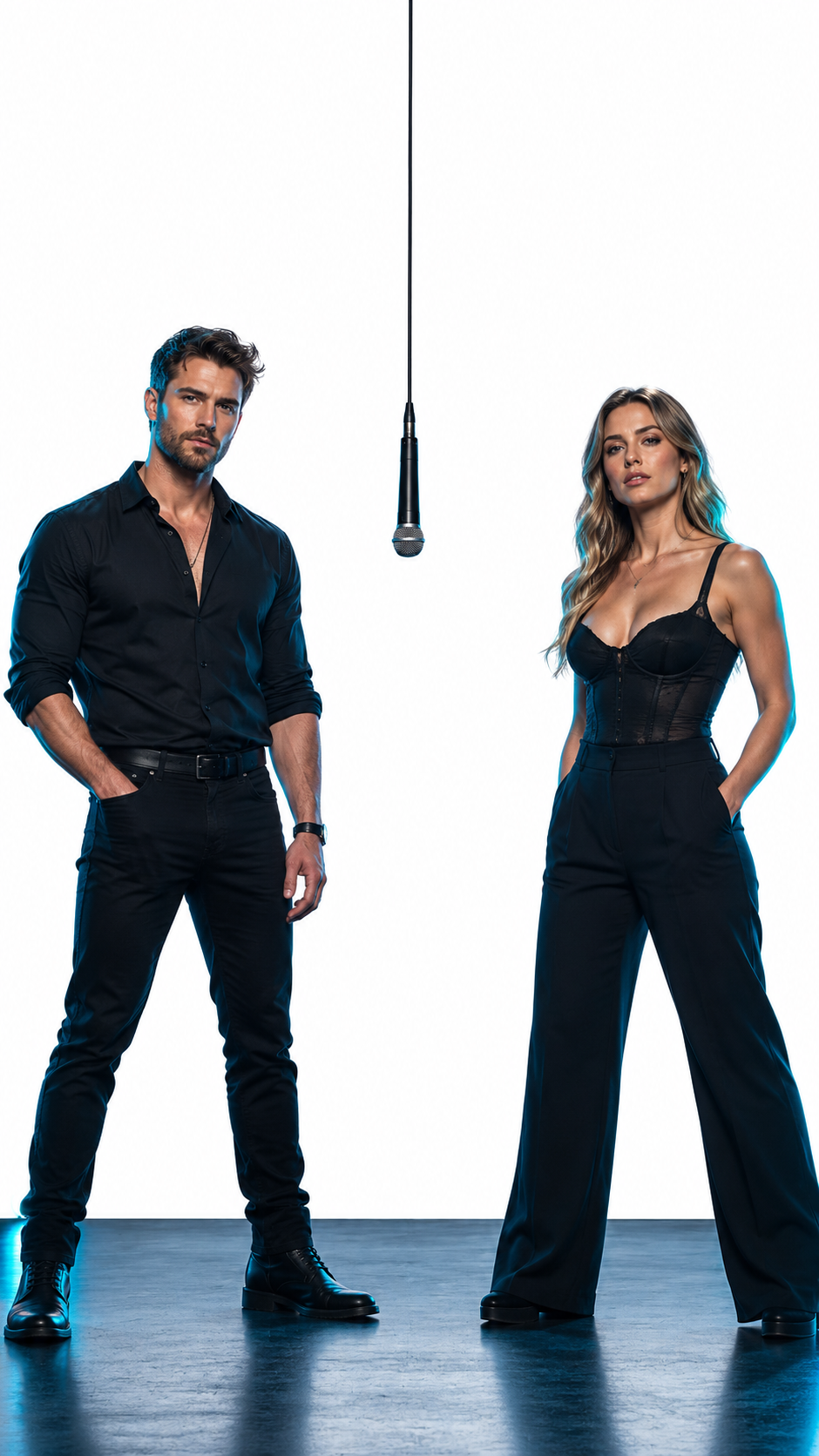
Direct the people.
Design the atmosphere.
Two original adult performers stand apart on a graphite concert stage, a single suspended microphone at center, soft cyan rim lighting, medium-wide composition, realistic editorial photography, clear faces, space above for a title.
Orange studio
Describe two original performers, an orange backdrop and one suspended microphone. The AI rap scene generator starts with a written scene rather than a person's uploaded likeness. Decide whether you need a rap cover image for a release or a rap stage image that can later become a moving shot. Those outputs need different space around the subjects.
Street cypher
Use a brick-lined street, dusk light and enough separation between the performers. For a rap cover image, reserve a quiet area for lettering you will add in an editor. A rap stage image needs readable feet, shoulders and a clear performance area. Describe the duo composition before adding spotlights, because extra scenery cannot repair missing space between performers.
Birthday stage
Choose graphite scenery with cyan confetti lighting, leaving clear space for a greeting added later.
Four-part prompts for the AI rap scene generator
Describe the performers, stage, lighting and framing to make a coherent rap-scene image.
Performers
Define one or two original adults, their clothing and their relative positions. Give the AI rap scene generator four decisions: who performs, where they stand, how the camera sees them and how the set is lit. A rap cover image might use a closer crop; a rap stage image benefits from a wider view. Keep these decisions consistent in one prompt.
Stage
Choose a studio, rooftop or street as a single coherent setting. An orange booth image works best with a plain backdrop, soft light and one microphone between the subjects. Define the duo composition with a left performer and a right performer. Avoid instructions for a second camera view inside the same image.
Lighting
Use soft frontal illumination for faces and a restrained rim light to separate subjects.
Framing
Specify a medium-wide frame and reserve room for a title. Add exact typography later in an editor.
Two original adult performers stand apart on a graphite concert stage, a single suspended microphone at center, soft cyan rim lighting, medium-wide composition, realistic editorial photography, clear faces, space above for a title.
Frame a duo or cover in the AI rap scene generator
Give a duo enough horizontal space and reserve clear areas for cover text.
Duo reference frame
Leave a gap between two performers and match their scale so the frame can become an animation reference. The AI rap scene generator can also prepare an orange booth image as a starting frame. Keep the original aspect ratio when saving it. A rap stage image with clean subject edges gives the animation step a clearer starting arrangement.
Square cover concept
Choose 1:1 and leave a quiet area for cover text. Check the duo composition at thumbnail size before choosing a result. For a rap cover image, leave room for a title above or beside the figures instead of asking the model to squeeze lettering onto clothing.
Vertical teaser image
Choose 9:16 for a vertical teaser while keeping both faces inside the narrow frame. Both silhouettes should remain separate, with the microphone away from either face. Review the duo composition before selecting the output.
Animate images from the AI rap scene generator
Send the finished image directly to image-to-video and describe how the performers should move.
Animate the scene
Use Animate this image on the result. The image passes into the motion tool without another download. Treat the selected rap stage image as a starting frame, not an instruction to invent another location. Feed the orange booth image into the animation tool, keep its duo composition and request one small gesture. Compare the final movement with the still before changing the camera.
Refine the styling
Use Edit this image to change the outfit or background first, then animate the revised output. Save the rap cover image separately from any animated version. The still may suit a cover while the moving output suits a short feed post. Using the same visual direction does not mean the two files need the same crop or text placement.
AI rap scene generator credits shown before you create
The generate button shows the credit cost for your selected image settings.
At the configured GPT Flare 1K setting, one image costs 3 credits. The quote changes with model and resolution. Images and videos use the same account balance, and your selected output can continue into another tool. A rap cover image and an orange booth image use the chosen model's displayed image price. Read the quote before submitting another variation. The AI rap scene generator does not charge extra simply because a prompt describes more stage equipment; the selected model and output settings determine the quote.
Keep one approved rap cover image as a reference for later experiments. If the rap stage image needs only a backdrop change, try the photo editor instead of rebuilding every detail from text. That preserves a clearer visual comparison between versions.
Make your rap video ↗AI Rap Scene Generator FAQ
Can I create a rap cover image here?
+
Describe the performer and stage, choose a square or other supported frame, and add the final title during editing.
How do I keep space for lyrics or a title?
+
Ask for clear space above or beside the performer and keep the face away from the planned text area.
Can I generate recognizable people from text?
+
Text describes a new appearance. Use a portrait reference in the photo tools when the result should follow a particular person's face.
Can I animate the image afterward?
+
Select Animate this image from the result to carry it directly into image-to-video.
Which image ratio should I choose?
+
Use a vertical frame for a phone teaser, a wide frame for duo staging or a square frame for a cover concept.