Make an AI Rap Video from Your Photos
Two photos. A shared stage. Turn your favorite people into a rap duo, then make the performance your own.
Loading your studio…
Your finished AI rap video beat by beat
Two separate portraits become a shared performance with distinct roles, a stage and a short sequence of musical gestures.
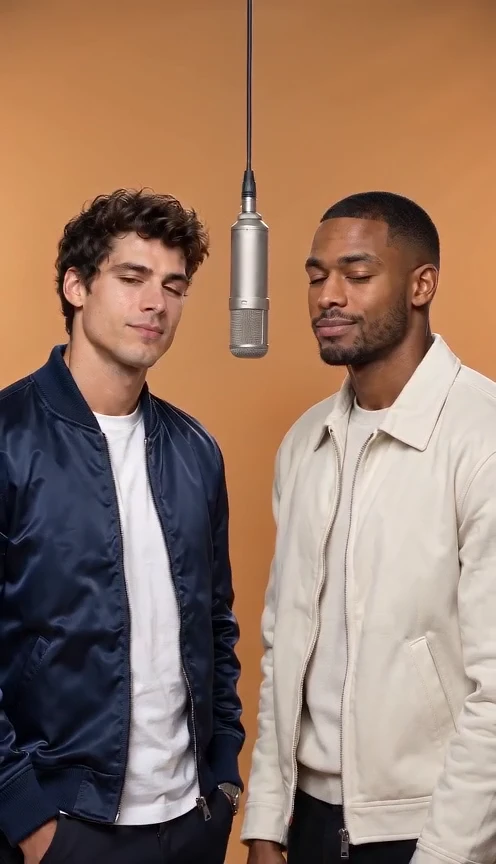
Friends in the Orange Booth
Two portraits · one orange studio
Seedance 2 Mini · 496 × 864 · 24 fps · generated audio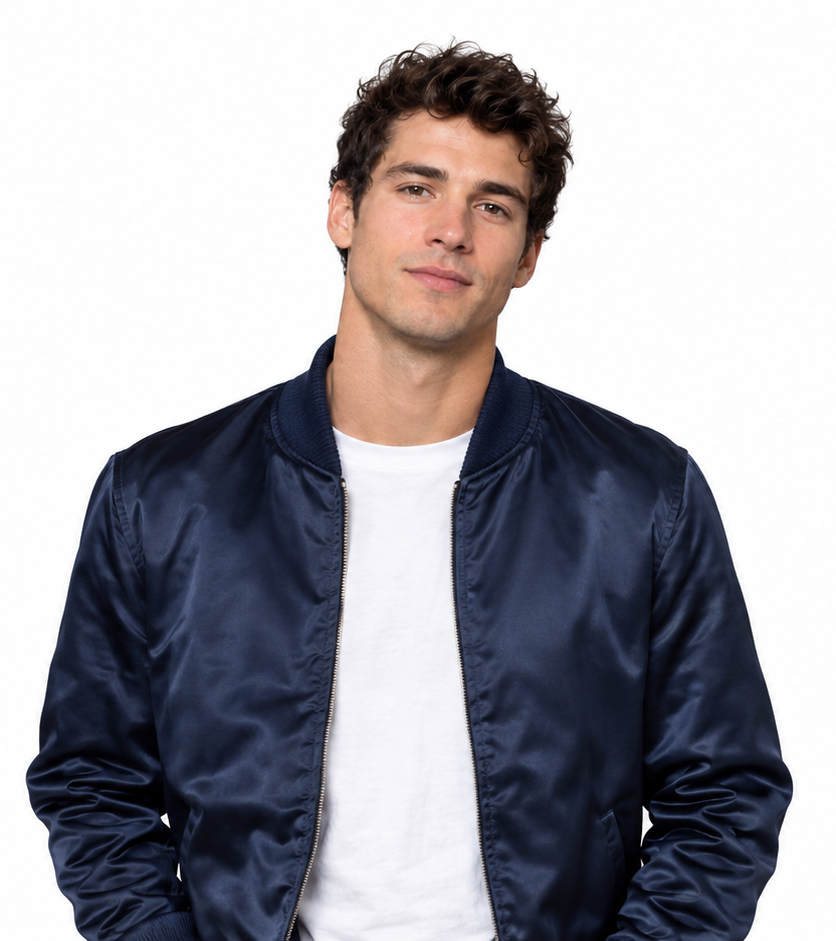 +
+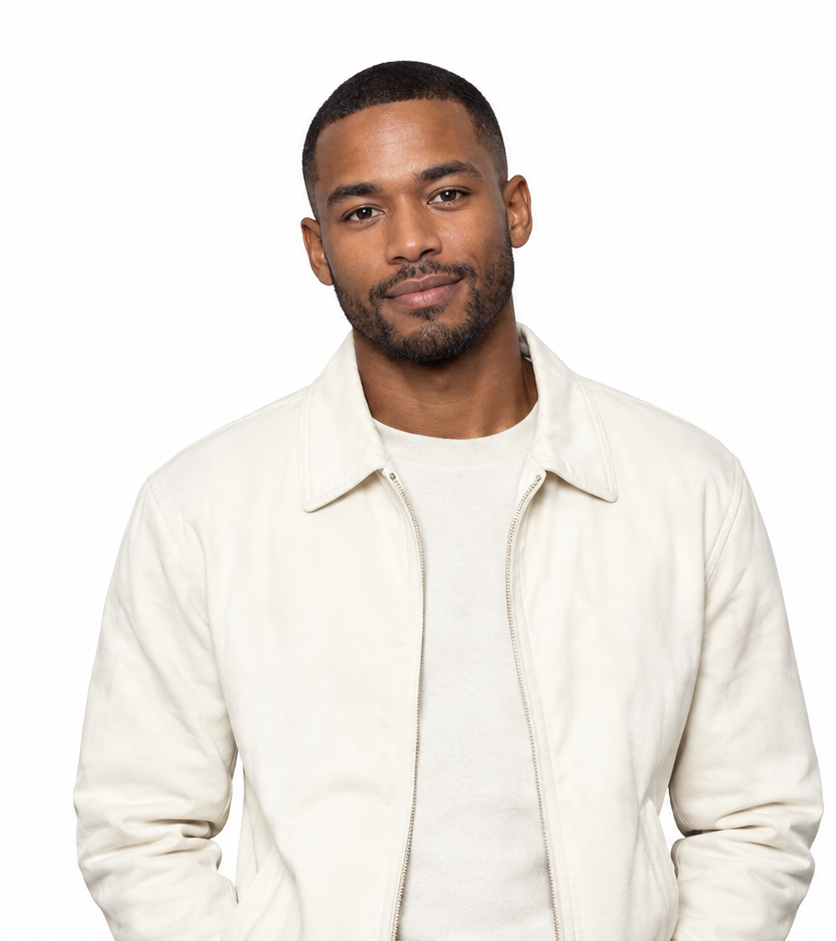 →One shared performance
Prompt & output settings
Create a short rap performance using these two portraits. Photo 1 is the left performer and Photo 2 is the right performer. Preserve the distinct faces, clothing and markings. Place both in a seamless warm orange studio with one silver microphone hanging between them. Locked waist-up camera. Both nod gently to an original rhythmic beat, then the left leads and the right responds with small shoulder movements, ending looking toward the camera. Exactly two subjects, no crossing positions. Small gestures and clear faces. Original instrumental hip-hop beat; no existing song or lyrics.
Two reference portraits → a requested 10-second vertical video. Measured output: 10.08 seconds, 496 × 864, 24 fps, with an AAC audio track. Seedance 2 Mini, 480p setting. The actual generation record includes the full submitted direction.
View generation record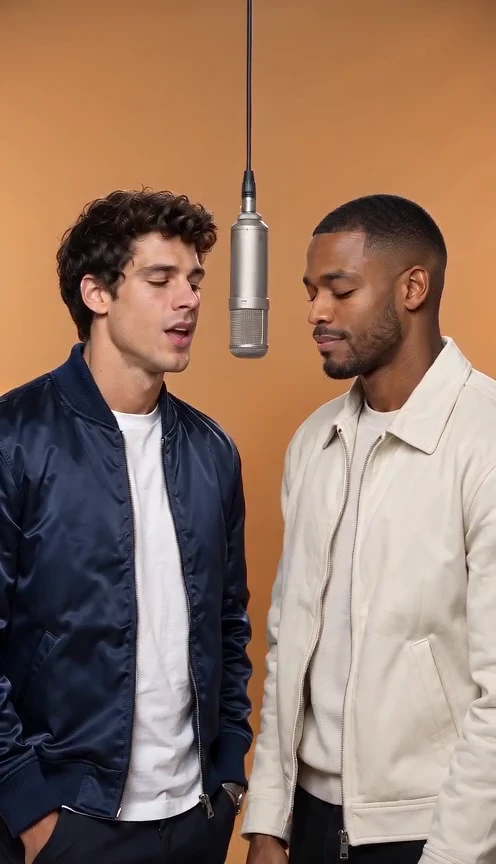
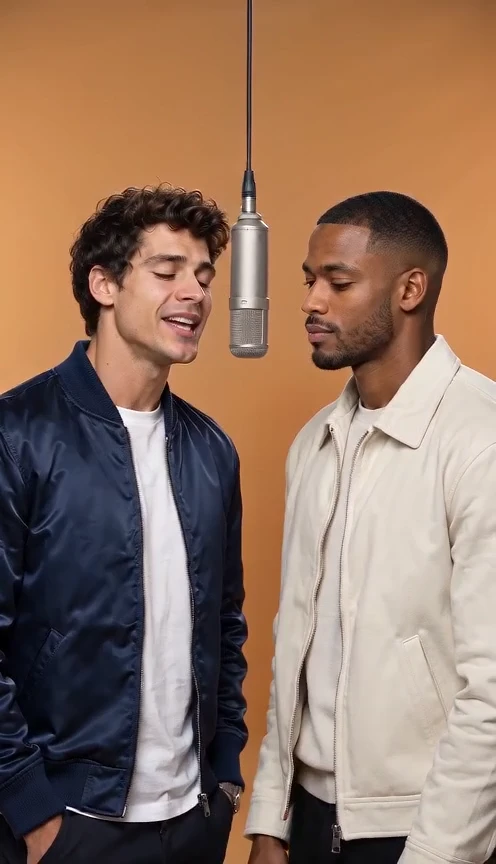
The opening beat
Begin with one portrait of each person, then put both references into one shared scene. The sample below records the actual output settings and soundtrack. Use a fixed camera while the performers settle into the rhythm. An AI rap video from photos starts with two photos that show clear, separate faces. Watch the orange booth sample at normal speed before deciding how much movement your own rap duo needs.
Lead and response
Let the left performer lead while the right reacts with restrained movement. The AI rap video generator uses the references to establish appearance, while your direction sets the exchange. A readable AI rap video gives the lead one gesture and leaves room for the partner's response.
The closing pose
Finish with a shared glance toward the camera. The timing is a creative plan, not a guarantee of frame-exact choreography. Compare the first and final frames of the AI rap video. In the orange booth, the rap duo should finish in a recognizable arrangement rather than leave the frame before the edit ends.
Make an AI rap video with two friends
Use one portrait per performer, choose a two-person performance preset, and generate a short clip.
Add two portraits
Choose a clear face-and-shoulders photograph for each upload slot. Photo 1 stays left and Photo 2 stays right. For an AI rap video from photos, choose two photos with a similar face size. Your rap duo can come from separate occasions, but comparable light makes the shared set easier to judge.
Pick your stage
Use Orange Booth, Street Cypher, Birthday Stage or Pet Duo. Keep your photos when you try another scene. The AI rap video generator offers the orange booth as a restrained starting scene. Keep the same two photos when trying another preset so the stage is the main variable in your comparison.
Generate the performance
Review the model, duration, audio and credit quote. Sign in when you are ready; your draft stays in the browser. Review an AI rap video from photos as a short performance, not a promise of exact choreography. Start the rap duo with the displayed default settings, then change one decision after watching the result.
Play and download
Play the finished clip in the result panel, download it, or make another version with the same references. Save the approved AI rap video before making another version. Two photos remain the input reference; the downloaded output is a separate file you can trim, caption and place beside a recording.
What is an AI rap video?
An AI rap video uses generated or animated visuals to create a short rap-performance scene.
The broader task can use an original character, an edited portrait or a generated stage. The recognizable orange-booth variation is inspired by Quavo and Takeoff performing HOTEL LOBBY on A COLORS SHOW. Making an animated picture, adding a song and matching mouth movements are separate decisions. An AI rap video generator creates or animates a performance frame. Making an AI rap video from photos supplies a personal visual reference, while adding a particular recording remains an editing decision. The orange booth is one recognizable visual setup, and a rap duo can also perform on an original stage.
AI rap video ideas for your favorite people
Friends, couples, pet owners and birthday creators can turn familiar faces into a shared performance.
Friends in the Orange Booth
Two portraits · one orange studio
Seedance 2 Mini · 496 × 864 · 24 fps · generated audio+→One shared performancePrompt & output settings
Create a short rap performance using these two portraits. Photo 1 is the left performer and Photo 2 is the right performer. Preserve the distinct faces, clothing and markings. Place both in a seamless warm orange studio with one silver microphone hanging between them. Locked waist-up camera. Both nod gently to an original rhythmic beat, then the left leads and the right responds with small shoulder movements, ending looking toward the camera. Exactly two subjects, no crossing positions. Small gestures and clear faces. Original instrumental hip-hop beat; no existing song or lyrics.
Two reference portraits → a requested 10-second vertical video. Measured output: 10.08 seconds, 496 × 864, 24 fps, with an AAC audio track. Seedance 2 Mini, 480p setting. The actual generation record includes the full submitted direction.
View generation recordCouple Birthday Verse
Two portraits · a cyan birthday stage
Seedance 2 Mini · 496 × 864 · 24 fps · generated audio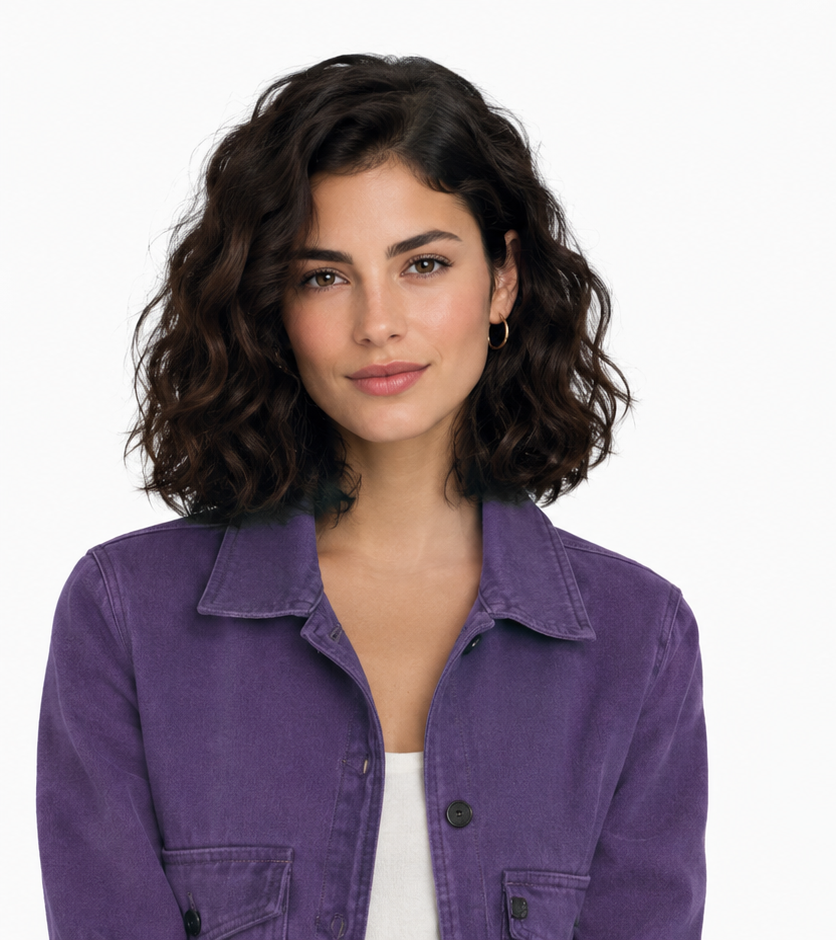 +
+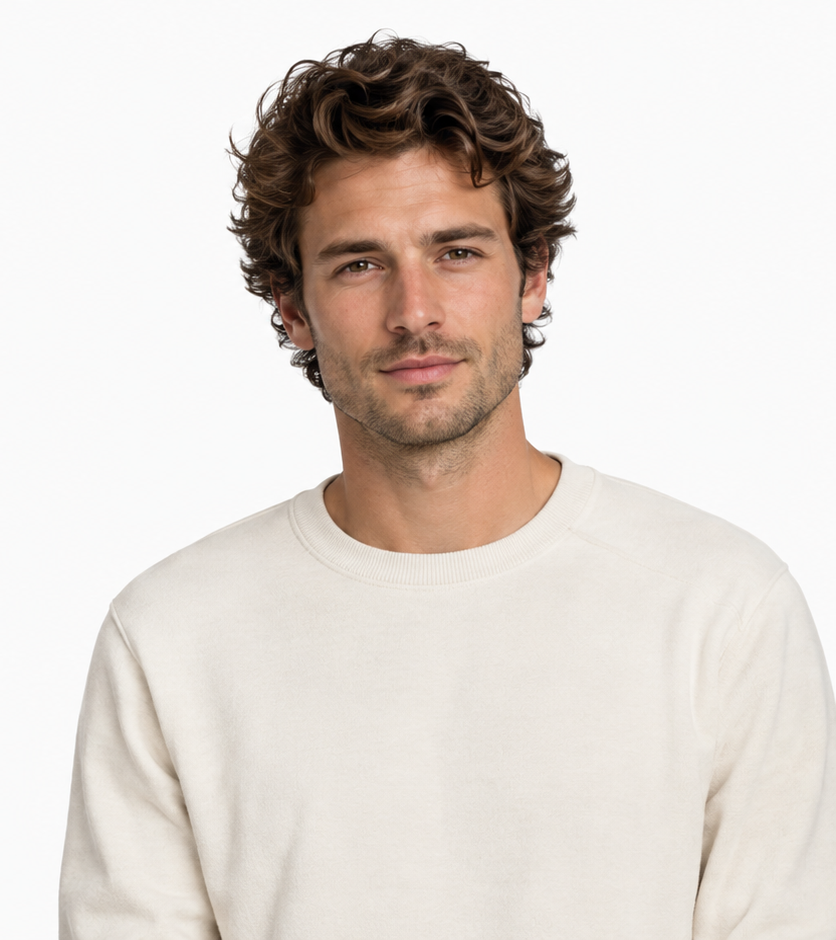 →One shared performance
Prompt & output settings
Create a short rap performance using these two portraits. Photo 1 is the left performer and Photo 2 is the right performer. Preserve the distinct faces, clothing and markings. Place both in a graphite birthday stage with cyan confetti lighting and a suspended microphone. Locked waist-up camera. Both nod gently to an original rhythmic beat, then the left leads and the right responds with small shoulder movements, ending looking toward the camera. Exactly two subjects, no crossing positions. Small gestures and clear faces. Original instrumental hip-hop beat; no existing song or lyrics.
Two reference portraits → a requested 10-second vertical video. Measured output: 10.08 seconds, 496 × 864, 24 fps, with an AAC audio track. Seedance 2 Mini, 480p setting. The actual generation record includes the full submitted direction.
View generation recordPet Partners
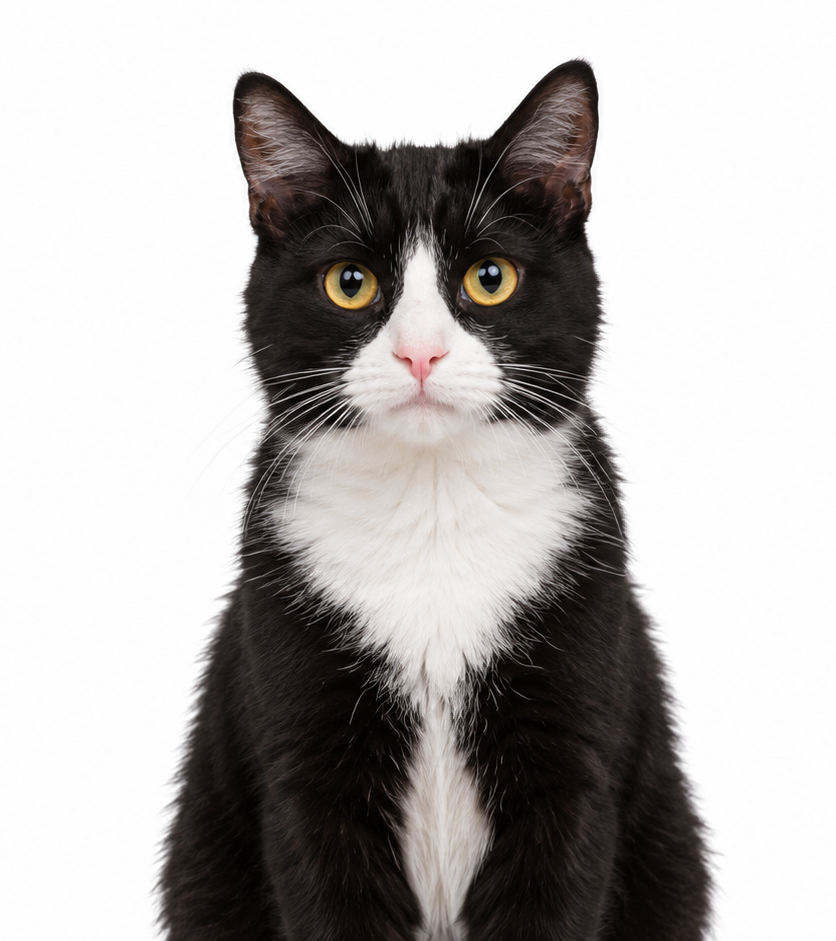
Two cats · small head and body movements
Seedance 2 Mini · 496 × 864 · 24 fps · generated audio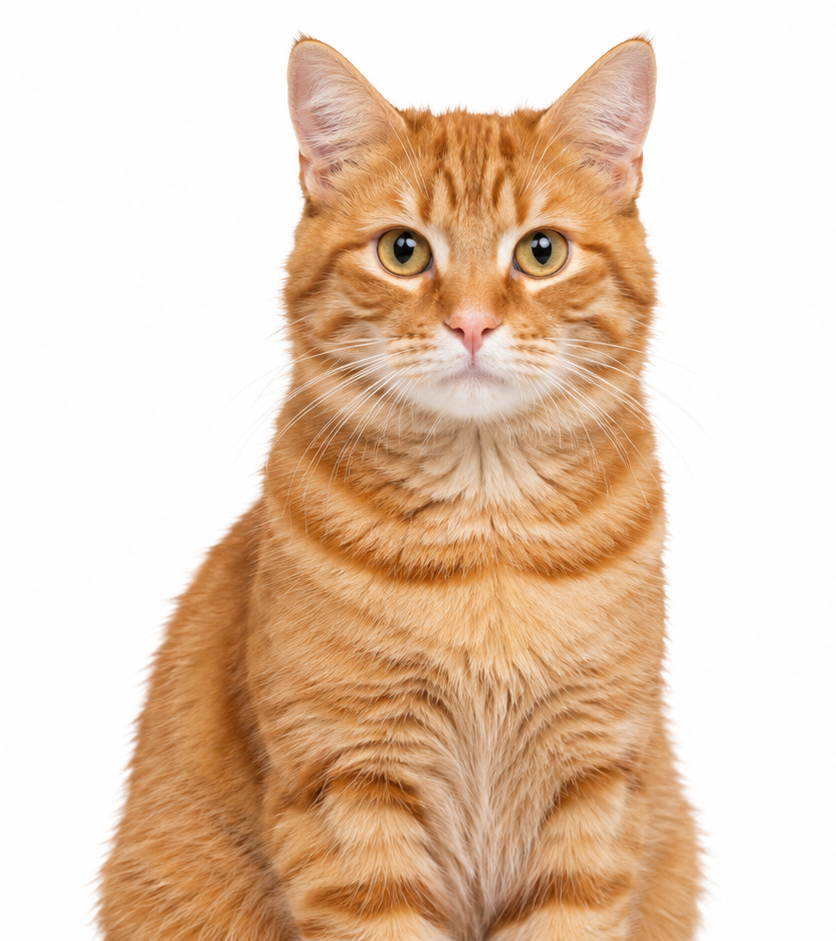 +
+ →One shared performance
Prompt & output settings
Create a short rap performance using these two portraits. Photo 1 is the left performer and Photo 2 is the right performer. Preserve the distinct faces, clothing and markings. Place both in a small warm orange music stage with a suspended microphone. Locked waist-up camera. Both nod gently to an original rhythmic beat, then the left leads and the right responds with small shoulder movements, ending looking toward the camera. Exactly two subjects, no crossing positions. Preserve natural cat anatomy; gentle head bobs and body sway, no human hands. Original instrumental hip-hop beat; no existing song or lyrics.
Two reference portraits → a requested 10-second vertical video. Measured output: 10.08 seconds, 496 × 864, 24 fps, with an AAC audio track. Seedance 2 Mini, 480p setting. The actual generation record includes the full submitted direction.
View generation recordStreet Cypher
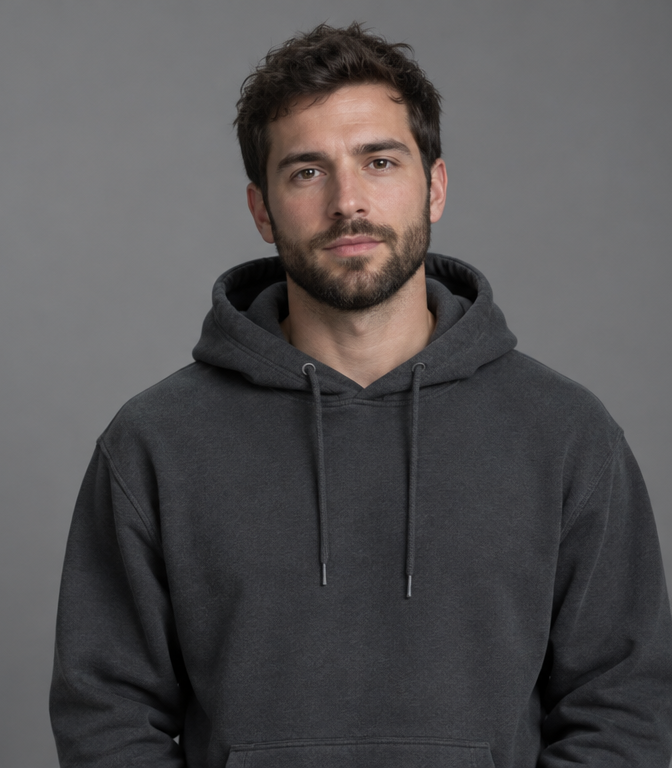
Two performers · a brick-lined street
Seedance 2 Mini · 496 × 864 · 24 fps · generated audio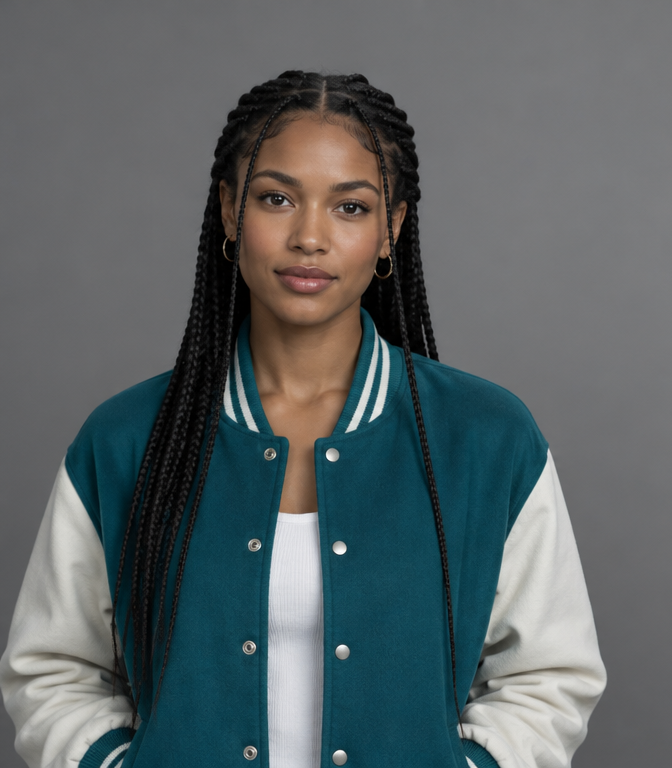 +
+ →One shared performance
Prompt & output settings
Create a short rap performance using these two portraits. Photo 1 is the left performer and Photo 2 is the right performer. Preserve the distinct faces, clothing and markings. Place both in a quiet brick-lined city street at dusk with soft cyan rim lighting and one microphone. Locked waist-up camera. Both nod gently to an original rhythmic beat, then the left leads and the right responds with small shoulder movements, ending looking toward the camera. Exactly two subjects, no crossing positions. Small gestures and clear faces. Original instrumental hip-hop beat; no existing song or lyrics.
Two reference portraits → a requested 10-second vertical video. Measured output: 10.08 seconds, 496 × 864, 24 fps, with an AAC audio track. Seedance 2 Mini, 480p setting. The actual generation record includes the full submitted direction.
View generation recordFriends and group chats
Two individual portraits make a shared-stage clip for a group chat. Keep the lead and response small enough to recognize both faces. An AI rap video from photos can bring two friends into the orange booth without a shared photo session. Choose two photos where both faces remain readable and direct the rap duo as a small exchange.
Couples together
Photos taken in different places can share one set when their lighting and scale are compatible. A couples' AI rap video works best when each partner keeps a clear role. The AI rap video generator can build a shared set from two photos; the prompt should still keep the two identities separate.
Pet duos
Use one clear photo per animal, and request head bobs and body sway while preserving fur patterns. For pets, an AI rap video from photos should preserve markings rather than invent human gestures. Use two photos at a comparable eye level and request a small head bob from each member of the rap duo.
Birthday shout-outs
Choose Birthday Stage, then add names and a personal message in your final edit. Keep captions away from the faces. Use the AI rap video generator to create the birthday performance, then add a short greeting during editing. The orange booth leaves a simple backdrop, but captions should stay away from the rap duo's faces.
AI rap video prompts that keep both faces distinct
A strong duo prompt fixes each person to one side and describes restrained motion in a simple scene.
Identity and position
Name each reference and fix its position: Photo 1 on the left, Photo 2 on the right. Keep faces, hair and clothing distinct. A clear AI rap video from photos names both references and their positions. Describe two photos as separate identities, then keep each performer on the assigned side throughout the AI rap video.
Stage and camera
Describe one hanging microphone between the subjects, soft frontal light and a locked medium shot. In the AI rap video generator, describe the orange booth as one continuous set with shared lighting. A stable camera helps the rap duo keep its scale and spacing while the musical gestures change.
Movement and expression
Give one subject a leading gesture while the partner responds. Avoid crossed arms, fast head turns and overlapping movement. Judge the AI rap video without sound before adding more direction. If the orange booth looks right but faces drift, reduce the action in your rap duo instead of changing the whole set.
Create a short rap-performance scene using the two uploaded portraits. Photo 1 is the performer on the left; Photo 2 is the performer on the right. Keep their faces, hair and clothing distinct. Place them in a seamless warm-orange studio with one hanging silver microphone between them. Frame both from the waist up with a locked camera and soft frontal light. Begin with both nodding to the rhythm. Let the left performer lead with small open-hand gestures while the right responds with a smile and shoulder movement. Finish with both looking toward the camera. Keep their positions fixed and their faces visible throughout.
Add the track that fits your AI rap video
Choose a generated soundtrack or add a selected recording in an editor, then align the performance to the beat.
Generated performance audio
Seedance can generate audio when enabled. The result is generated sound, not the original HOTEL LOBBY recording. An AI rap video from photos may include generated sound when the chosen model supports it. The AI rap video generator does not turn a scene name into the original song or guarantee matching lyrics.
Your recorded track
Import your own recording and the video into an editor. Lower or mute existing sound, choose the starting beat and trim the ending. Download the AI rap video and import it beside your chosen recording. A rap duo needs a readable gesture on the beat; two photos alone do not supply the timing or permission for a commercial track.
Add a platform sound
Use an available platform sound in your publishing editor. Check that the chosen recording is available for your intended use; buying generation credits does not license that recording. Check the destination platform's available sound before publishing an AI rap video from photos. The orange booth can provide a recognizable look while the finished AI rap video uses a different, available recording.
One-time credits for every AI rap video
Choose a one-time credit pack and see the exact credit cost before generating.
The AI rap video generator shows its quote before a task begins. Keep two photos and the orange booth preset ready while choosing credits; the purchase step returns you to the same rap duo draft.
For an AI rap video from photos, compare packs against the displayed task cost rather than a fixed number of outputs. A longer AI rap video or a different resolution can use a different amount.
250 credits · $9.90
$9.906 clips at the default setting
About 83 1K images or 60 seconds of video1,000 credits · $29.90
$29.9026 clips at the default setting
About 333 1K images or 260 seconds of video2,200 credits · $49.90
$49.9057 clips at the default setting
About 733 1K images or 570 seconds of videoChoose a credit pack to start creating: $9.90 for 250 credits, $29.90 for 1,000 credits, or $49.90 for 2,200 credits. One-time purchase, no subscription. The credit cost depends on the model and output settings and is shown before generation. If a generation fails, reserved credits are returned. Credits do not expire. Refunds follow our published business terms.
Default: Seedance 2 Mini · 480p · 10 seconds · 38 credits. Estimated cost per default clip: $1.50 / $1.14 / $0.86 by pack. Unused fractional clip allowances are retained as credits.
AI Rap Video FAQ
Can I make an AI rap video from two photos?
+
Upload one clear portrait for each performer, assign the left and right roles, and choose a duo preset.
Is AI Rap Video free?
+
The guides and prompts are free to read. Generation uses one-time credit packs, with the cost shown before you create.
Can couples make a rap video together?
+
Yes. Separate portraits can place both people in a shared scene even when the photos were taken in different places.
Can I make a birthday rap clip?
+
Choose the birthday scene, prepare the two portraits and add your message to the finished edit or supported audio workflow.
Does every clip include music?
+
The audio option is shown with the selected model and in the result details. A silent visual clip can receive music in an editor.
How much does one video cost?
+
The button displays the credit cost for the selected model, duration and output settings. A credit pack can cover multiple tasks according to those costs.
What happens if generation fails?
+
Reserved credits are returned, and your input stays available for another attempt.
Can I continue after buying credits?
+
Yes. Payment returns you to the same page with your draft restored and a button to continue generating.
Do I need to install an app?
+
You can use AI Rap Video in your browser and download the generated result from the page or your account history.
More ways to build your AI rap video
Explore the orange-booth preset, customize a duo or start with a reusable prompt.
Hotel Lobby and Migos
Choose the orange studio and suspended microphone scene. Choose the orange booth guide when you want the recognizable shared-stage layout. It explains how two photos become a rap duo before the AI rap video generator adds movement.
Your own rap duo
Assign each portrait a side and a performance role. Choose the custom duo guide to make an AI rap video with different roles or a different setting. Keep two photos ready and decide which member of the rap duo leads the exchange.
Reusable scene prompts
Copy a complete scene direction and adapt it to your people. The prompt library makes an AI rap video from photos easier to direct with specific positions and gestures. Reuse the orange booth structure while changing only the details that suit your people.
Understand the trend
See the performance, song and dated remix references. The background guide separates the original performance from later remixes. Use it to understand the AI rap video look before choosing a rap duo scene or adding a recording.
Follow the full workflow
Prepare portraits, generate a clip and finish its audio. The full tutorial explains an AI rap video from photos from input selection through export. It also shows where the AI rap video generator ends and the final sound edit begins.
Compare four approaches
Compare templates, manual editing, limited AI access and this site’s credit workflow. Compare template editing and new animation before buying credits. Two photos can become a montage without generated movement; an AI rap video asks the model to create a performance between frames.
Make your AI rap video
Start with your two portraits and turn the next idea into a short performance.
Your draft stays with the workbench. Upload two portraits or return to the pictures you already selected, then choose the stage and review the quote. Keep your two photos in place, return to the orange booth controls and review the quote. The AI rap video generator can reuse the saved rap duo direction when you are ready for another AI rap video. Review an AI rap video from photos on the device where you plan to share it. The AI rap video generator gives you a file to edit; watching the complete AI rap video is how you decide whether the faces, timing and ending work together.
Make your rap video ↗